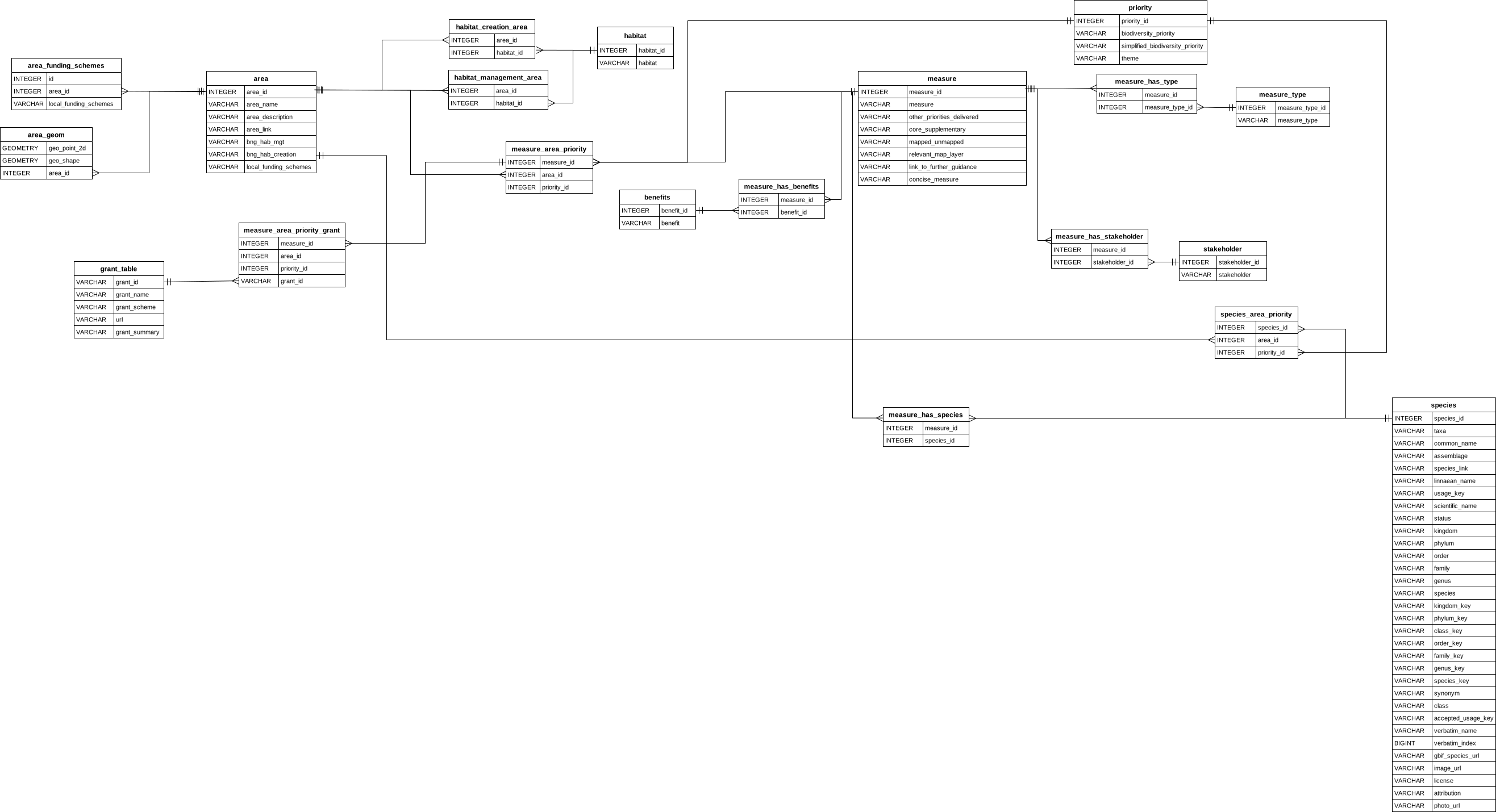
Workflow for diagrams with AI
A bit more detail on creating diagrams with tools like Excalidraw, Mermaid, and Draw.io.
I experimented with eraser to create the ERD from the schema. The free tier has support for 5 diagrams. It worked well in creating the ERD. I did find the export process a bit clunky with the website appearing to hang. But I did get a nice png diagram out of it. So this is a good option for a quick ERD diagram from a schema.

If you want a more detailed and tailored approach, I have found that the following workflow works well:
- Create the database schema in DuckDB.
- Use AI (I used Gemini) to generate an Entity-Relationship Diagram (ERD) in Mermaid format. The prompt was quite simple in Gemini 2.5 Flash “make an entity relationship diagram from this schema”
- This mermaid code needed minimal cleaning, the main problem was that column names represented in double quotes (i.e. reserved words) needed to heve the double quotes removed otherwise mermaid thought these were comments.
- Test the code either in VS code with the mermaid chart plugin or sign up for a free account with Mermaid Chart to see the produced ERD.
- The ERD from mermaid by default has lots of loopy splines rather than straight lines. I prefer straight lines, which make the diagram easier to read.
- I imported the mermaid code into diagrams.net (formerly draw.io) using the “Insert > Advanced > Mermaid” option. and then manually edited the position of the entities to make the diagram more readable.
- I then exported the diagram as an SVG file.